Overview
Hours of Operation (HoO) allow you to visually display consecutive long hour segments, for example for registration or expo hall, that are not sessions for users to add to their schedule. You can add up to two hours of operation per day and set the location. If the location is pinned on your map, it will become interactive for your users.
If you are using the AI Assistant, it will use the registration information and expo information from your Hours of Operation setting.
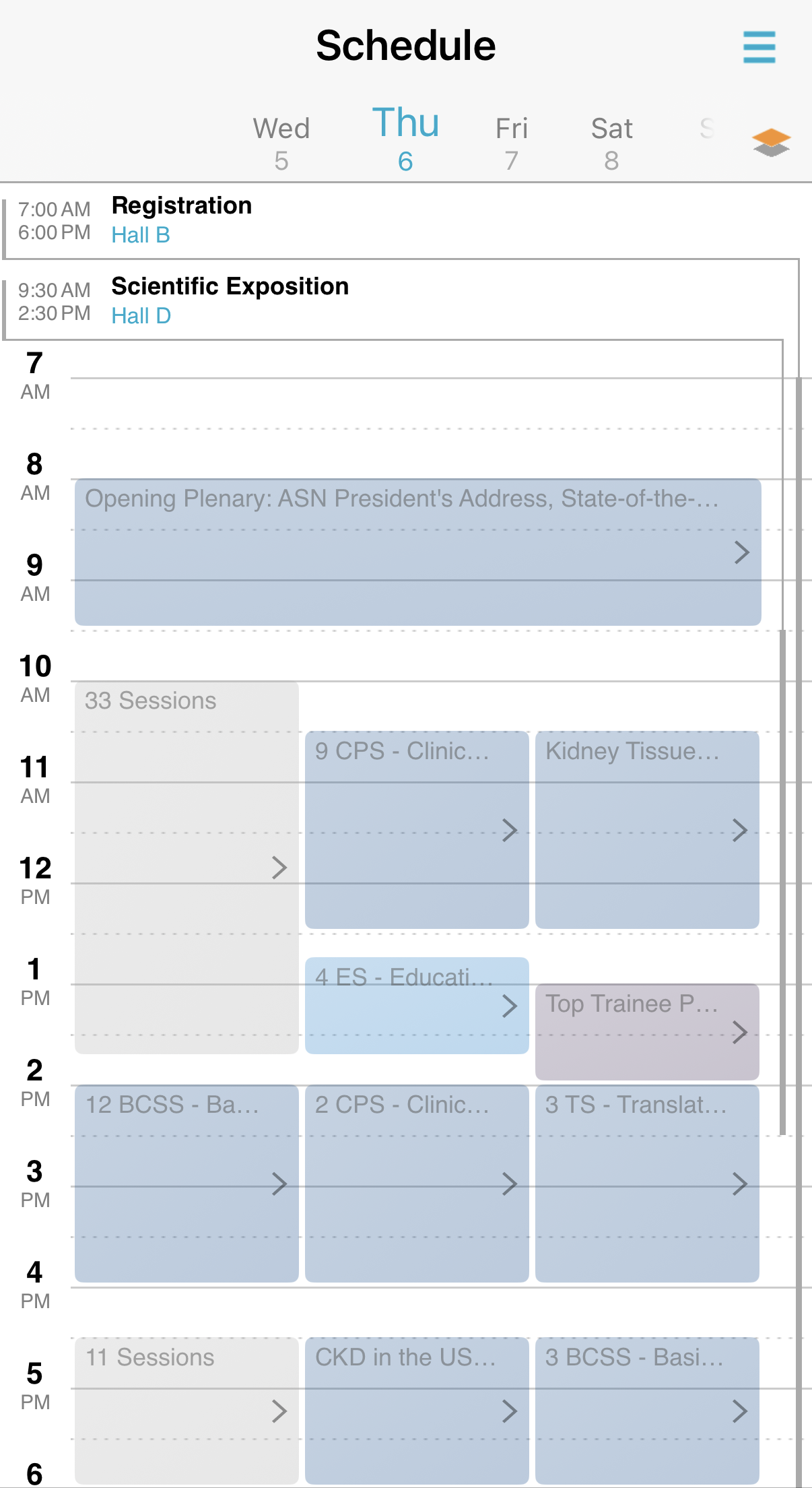
How to set up Hours of Operations in the conference app builder
- In the App Builder, navigate to Agenda > Visual Schedule
- Click the plus button to Add Course of Operation Indicator
- Add the label, enter the location (remember to pin that location with the exact label on your floor plan), and select a color
- Repeat for each day
- A maximum 2 hours of operation are allowed on each day.
- Delete by clicking the x next to the hours of operation.