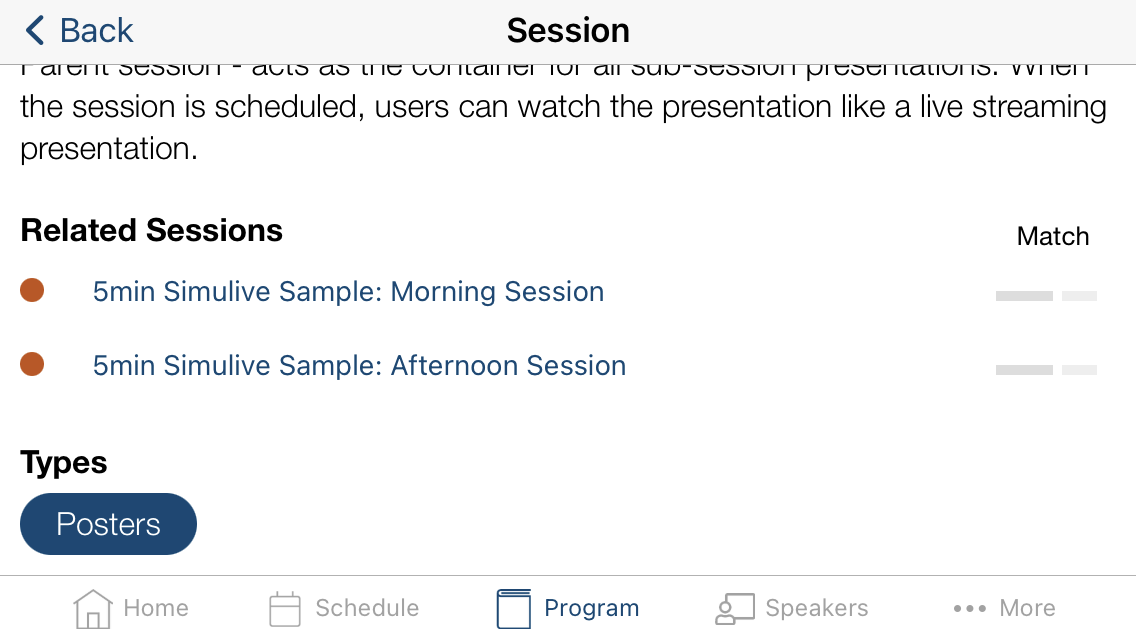
Related Sessions shows sessions similar to the session a user is currently viewing, to help with dynamic content discovery and schedule building.
Related Sessions must be enabled for the project. Contact your Project Manager if you want this feature turned on, it is on by default.
How matches are generated
- The system indexes agenda content and builds similarity scores between sessions.
- Primary seed terms come from session title and description.
- Other indexed session data can also influence similarity scoring, including items like session number, location, category, summary, and configured metadata values.
- Matching is relevance-ranked; the session detail view shows the top related results (up to 10).
FAQs
Does the algorithm also use the keywords or metadata?
Yes. Title/description are primary seed fields, and indexed metadata/category/summary values can also affect matching when terms overlap.
Is the related session feature searching and relating to both subsessions (presentation level) AND parent sessions?
Yes. Related Sessions is generated across all agenda items, including both parent sessions and subsessions.
What if my sessions do not have descriptions in them? For example, my subsessions only include a title and an abstract?
Descriptions are still strongly recommended. Rich, clear session text generally improves match quality and consistency.
Several of my sessions do not show related sessions, why?
Some sessions may have weak or no meaningful term overlap with other sessions, so no useful related items are returned.